

Start by going to https://beerandbrewing.com/subscription/ and pick out the type of subscription you're looking for.
Once you click on "Subscribe", a new pop-up window will show on your screen where you'll start adding you're billing information. Before you move onto the next page, enter in your coupon code by clicking on the following:
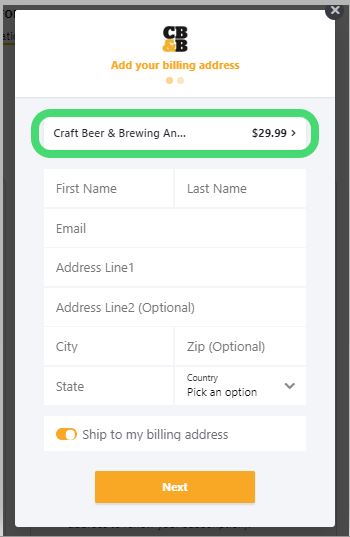
Then enter in your coupon code here:
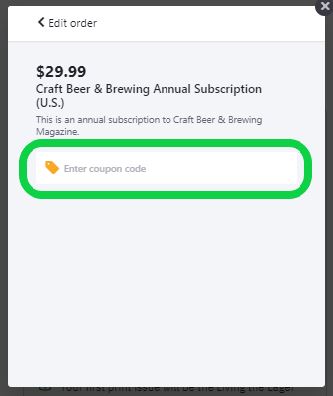
We hope you enjoy your subscription. Cheers!